Local vs cloud PII redaction: which is safer for confidential files?
Most online redaction tools ask you to do something odd: to remove the confidential data from a file, you first upload the whole confidential file to their servers. That’s the cloud paradox. This is a fair comparison of on-device vs cloud PII redaction — where each wins, the compliance surface, and how to choose.
The cloud paradox
Online redactors process server-side: you send the entire, un-redacted document — the most sensitive version of it — to the provider, it strips the identifiers, and it sends back a clean copy. For the seconds-to-hours in between, your secret sits on someone else’s infrastructure, governed by their retention policy, their subprocessors and their data location. (Source: RedactVault.) On-device tools invert that: the file is processed where it already lives, and nothing is uploaded.
What the popular online tools actually do with your file
“They delete it right away” isn’t one promise — it depends entirely on the tool and tier. iLovePDF says uploaded files are deleted within about two hours of processing (e-signature documents are kept longer). (Source: iLovePDF.) Smallpdf deletes account-less files roughly an hour after processing, but shared and e-signed files are kept 14 days (the timer restarts on each access) and Pro File Storage keeps them indefinitely until you delete them. (Source: Smallpdf.) Either way, the raw file was uploaded — the question is only how long it lingers.
The compliance surface: GDPR and HIPAA
This is where cloud gets heavier for regulated work. Under the GDPR, a cloud tool processing personal data for you is a processor, so Article 28 requires a written data-processing agreement before processing begins, and a US-based service also triggers Chapter V transfer rules — Standard Contractual Clauses plus a transfer-impact assessment. Under HIPAA, a cloud provider that handles ePHI is a business associate that needs a signed BAA — even a “no-view” encrypted service where the provider never sees your plaintext. (Source: HHS.) Process locally and there’s no processor at all — so for the redaction step, no DPA and no BAA. See use AI without breaking the GDPR for the wider picture.
The rising third-party risk
Every cloud redactor is a link in a supply chain — the provider plus its cloud host, OCR and AI subprocessors — and that’s exactly the risk category growing fastest. Verizon’s 2025 Data Breach Investigations Report found the share of breaches involving a third party doubled from about 15% to 30% year over year. (Source: Verizon 2025 DBIR.) On-device processing simply removes those links.
Where cloud genuinely wins
This isn’t one-sided. For high-volume, centralized work, cloud DLP is powerful: Google Cloud’s Sensitive Data Protection de-identifies at elastic scale through a single API call — masking, cryptographic tokenization, date-shifting and bucketing across hundreds of detectors and server-grade OCR, with nothing to install. (Source: Google Cloud.) Enterprise cloud can also be compliant — Google offers a HIPAA BAA covering that product. (Source: Google Cloud.) The honest caveat is structural: every one of those advantages is achieved by transmitting your content to the provider. Tellingly, even on-prem enterprise vendors sell no-upload as the premium property — Private AI (now Limina) markets a container where “your data never leaves your infrastructure.” (Source: Limina.)
Head to head
| Dimension | Local (on-device) | Cloud service |
|---|---|---|
| Where files are processed | On your own computer | Uploaded to the provider’s servers |
| Who holds your raw PII | Only you | You, the provider and its subprocessors |
| Raw-file upload | None | Required to process |
| Works offline | Yes, after activation | No — needs a connection |
| Retention to trust | None | The provider’s window (≈1–2 h to indefinite by tier) |
| GDPR / HIPAA surface | No processor; no DPA or BAA for the redaction step | Processor → DPA; PHI → BAA; US host → transfer rules |
| Cost model | One-time license | Per-file, subscription or API usage |
| Scale & throughput | Your machine | Elastic, server-grade |
| Server-grade OCR & models | Runs locally | Powerful, frequently updated |
| Reversible restore | Yes, from a local mapping | Varies by provider |
| Best fit | Confidential/regulated work; individuals & small teams | Very high volume, centralized pipelines |
How to choose for your situation
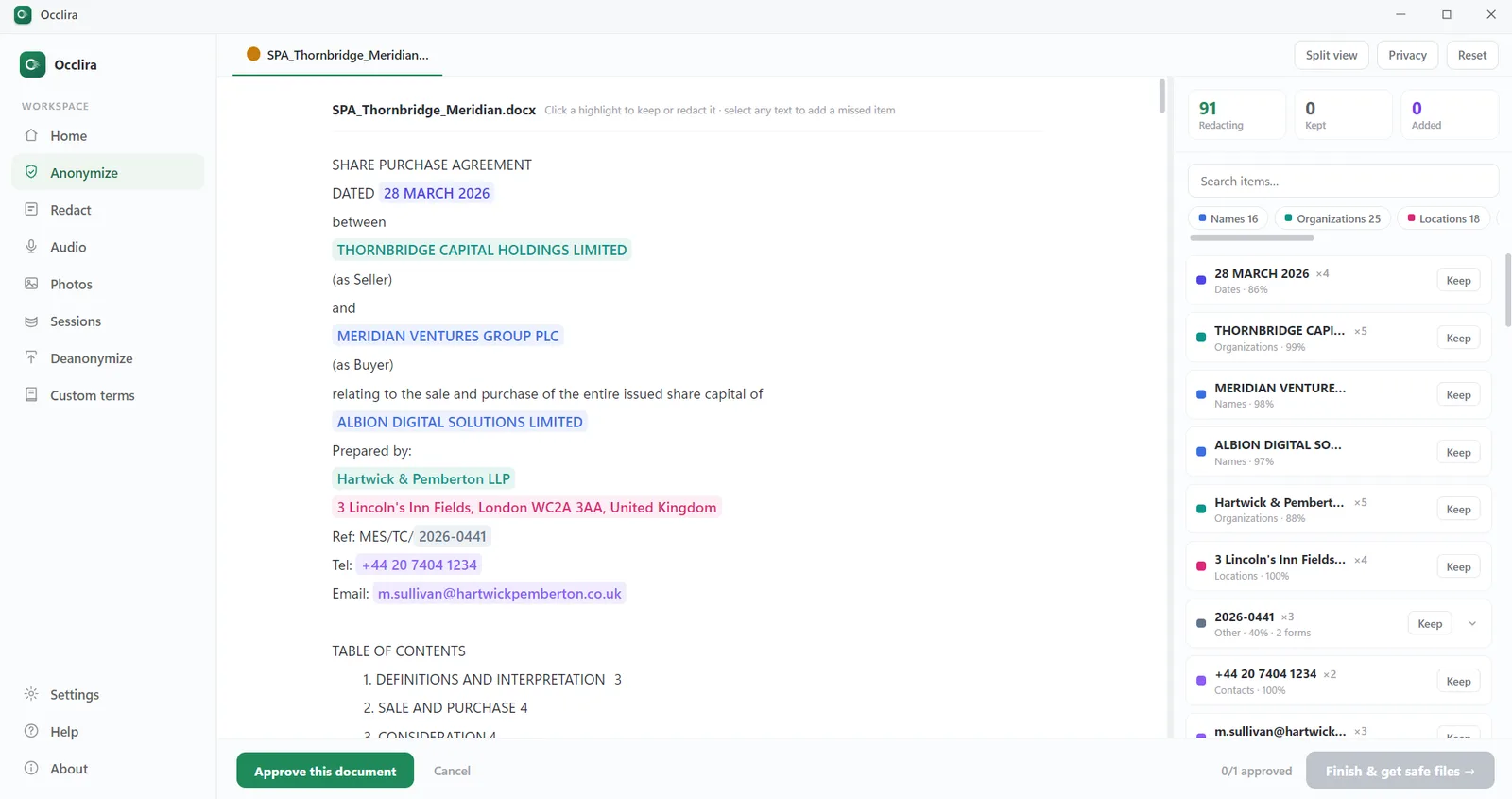
- Choose local if your files are confidential or regulated (legal, health, or financial, like a bank statement you need to redact), you’re an individual or small team, you want to avoid a DPA/BAA and cross-border transfers for the redaction step, or you need to work offline — which is exactly what Occlira does: on-device, no upload, real PDF redaction (try it free).
- Choose cloud if you’re redacting at very high volume in a centralized pipeline, need server-grade OCR and API integration, and have the enterprise DPA/BAA and transfer safeguards in place to do it lawfully.
Where Occlira fits
Occlira is a local PII redaction app for Windows and macOS. It detects and removes personal data from documents, spreadsheets, email, audio and images on your own computer, burns real PDF redactions that delete the underlying text, and can anonymize reversibly by keeping the mapping on your device — with no cloud and no account. So there’s no upload to secure, no retention window, no subprocessor link and no processor created. One honest note: reversible anonymization is pseudonymization, so that mapping is still personal data (kept locally). See exactly what stays on your device on the Data & Privacy Practices page.
Frequently asked questions
Cloud redaction uploads your file to a provider’s servers to process it, so your raw personal data leaves your control. Local (on-device) redaction processes everything on your own computer, so the file and the personal data in it never leave your machine.
Yes. Browser-based and online redactors send the whole file to the provider to process it — which is the “cloud paradox”: to remove the confidential data, you first upload the entire confidential file. A few tools do the work in-browser, but most process server-side.
It varies by tool and tier. iLovePDF says it deletes processed files within about two hours (e-signature documents are kept longer under separate terms). Smallpdf deletes account-less files roughly an hour after processing, but shared and e-signed files are kept 14 days and Pro storage keeps them until you delete them. “Deleted instantly” is not a single promise.
For genuinely confidential or regulated files, on-device is the safer choice: an online tool means the raw file sits on a third party’s servers for the retention window, exposed to that provider’s breach and subprocessor risk. If you must use one, check its retention, security certifications and data location first.
Yes. Any cloud tool processing personal data for you is a processor, and GDPR Article 28 requires a written data-processing agreement before processing begins. A US-based service also triggers Chapter V transfer rules (SCCs plus a transfer assessment). Local processing creates no processor, so neither applies to the redaction step.
Yes. Under HHS guidance, a cloud service that handles ePHI is a business associate and needs a signed BAA — even a “no-view” encrypted service where the provider never sees your plaintext. Using an online redactor on PHI without a BAA is a violation regardless of encryption.
Yes — for very high volume, centralized pipelines, cloud services offer elastic throughput, server-grade OCR, nothing to install, and enterprise BAAs/DPAs. The catch is that all of it works by transmitting your content to the provider. For individuals and small professional teams with confidential files, on-device is usually the better trade.
Yes. A desktop app like Occlira detects and redacts PII entirely on your computer, and burns real PDF redactions that delete the underlying text — with no upload and no account. See how to redact Word, PDF and Excel.
Keep redaction on your own machine
Redact and anonymize confidential files locally, no upload. Free for 14 days on Windows and macOS.
More: what is PII? · audio redaction software · for law firms · how your data is handled