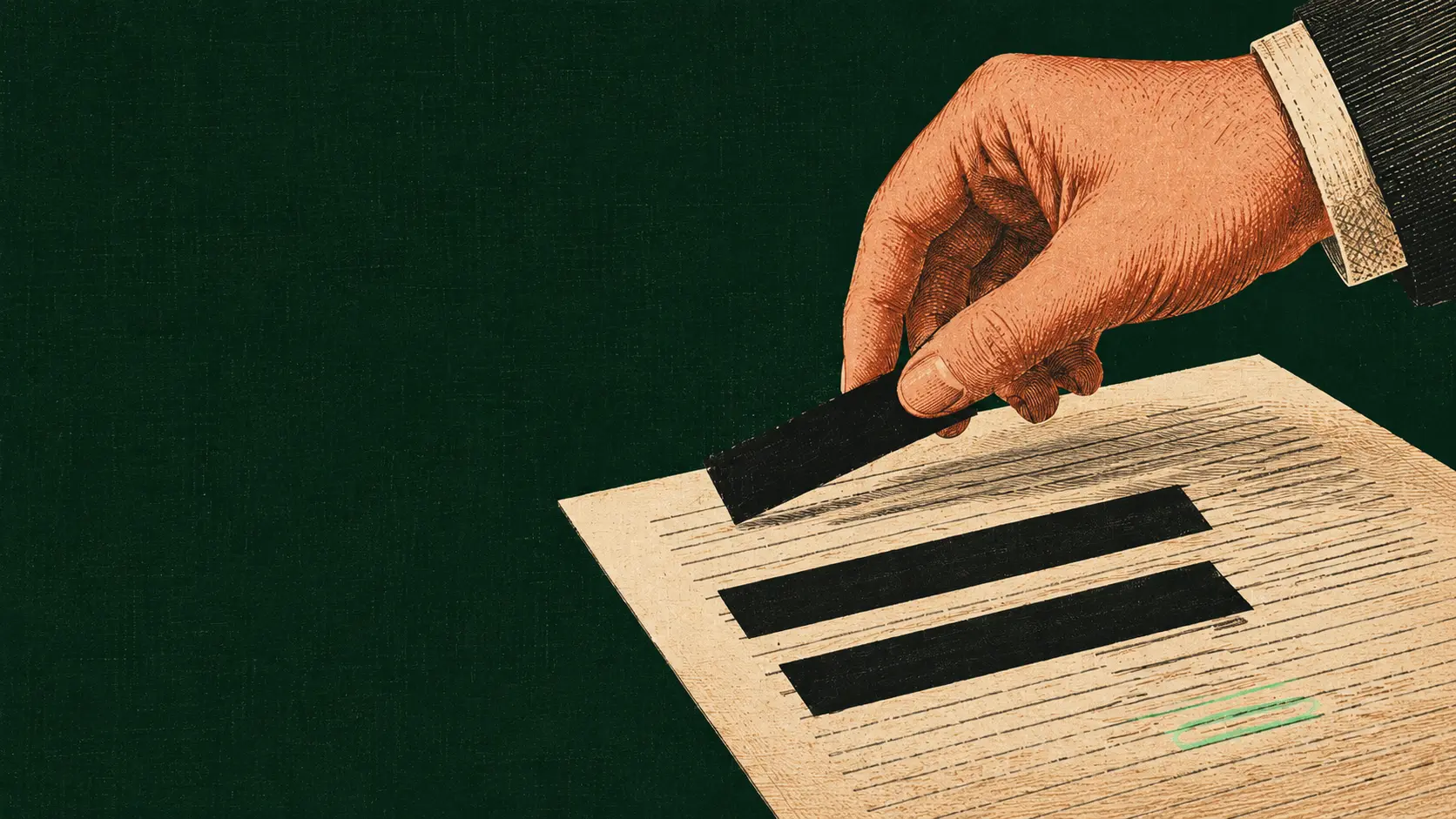
Use AI on sensitive files.
Leak nothing.
Desktop software that finds PII — names, IDs, account numbers, faces — in Word, PDF, Excel, email, audio and photos and redacts or anonymizes it, entirely on your computer. Anonymized values can be restored later.
Use an AI tool on a contract without giving it the client’s names.
Open the file, check what Occlira found, press Anonymize. Work in any AI tool on the anonymized copy, then put the real names back with one click — every step on your own computer.
Highlighted = detected personal data
-
Anonymize
Occlira highlights the names, IDs, emails and account numbers it found. You approve each one — nothing changes until you do.
-
Work in the AI
Paste or attach the anonymized copy anywhere: ChatGPT, Claude, Gemini, Word. The model sees <PERSON_1> in place of every name you replaced.
-
Restore
Bring the answer back and the real values slot straight in. No find-and-replace, no second pass.
Need it gone for good? Redact.
For files that leave your hands — a court filing, a disclosure, a counterparty. Black boxes are burned in and the PDF is saved as a flat image — the text underneath is gone, not just covered.
Detected personal data · burned to black boxes on export
Your files stay on your device. You review every change before it happens.
Every network call, listed
~97% on the benchmark — and you confirm every replacement
A multilingual AI model works alongside checksum-validated patterns, and a legal-boilerplate filter is designed to leave statutes, courts and country names alone. Nothing is changed until you approve it, and you can add anything the model missed.
- Checksum validation for IBANs, cards and national IDs
- Reads EN, DE, FR, IT, RU, NL and ES
- Your own always-remove and never-remove term lists
The files a client actually sends you.
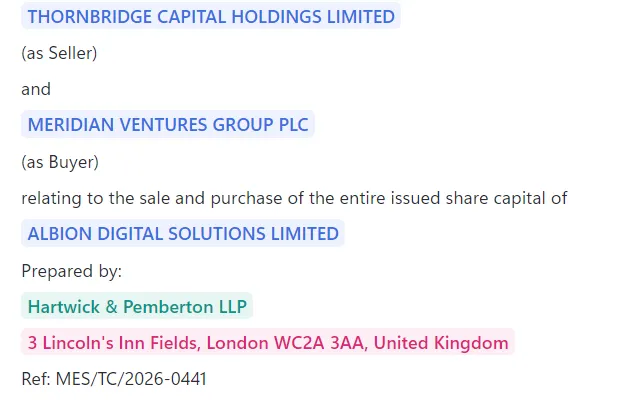
Anonymize Word, PDF, Excel & email
Contracts, statements, exports, .eml threads — even scanned PDFs, read on your device. Formatting survives; hidden metadata and tracked changes don’t. To redact a PDF for good, the boxes are burned into an image-only copy.
Reversible placeholders · OCR for scans · true PDF redaction that deletes the text underneath, not just covers it
Read the guide →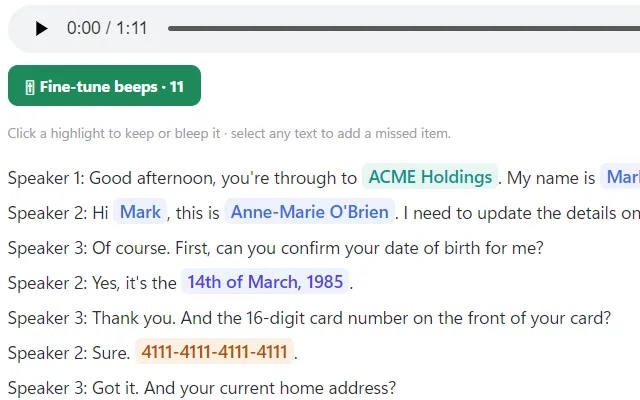
Redact audio: bleep spoken names
Interviews, depositions and client calls transcribed on your own machine and split by speaker, with spoken names and numbers bleeped in the track itself.
Local transcription · speaker separation · reversible transcript
Read the guide →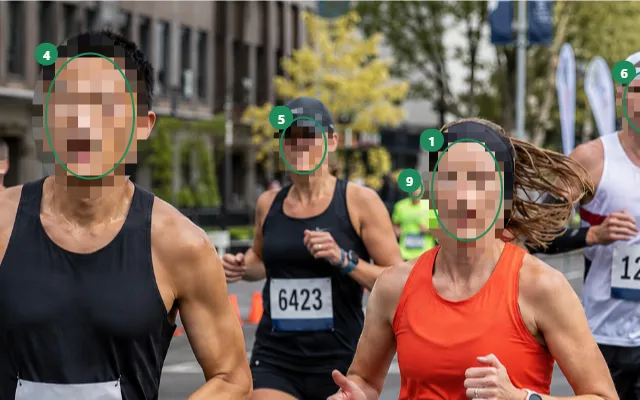
Blur faces & remove photo metadata
Faces found and blurred locally — blur, mosaic or a solid box — plus a manual box for anything the detector missed.
EXIF/GPS and camera data stripped · your original file left untouched
Read the guide →And it reaches into the tools you already work in.
Browser extension
Clean text and attachments inside ChatGPT, Claude and Gemini before you hit send, then restore the reply in place. Chrome, driven by the desktop app.
Add to Chrome →Microsoft Word add-in
Shield a document from inside Word — clean replace or tracked changes — review included, restore later.
Claude Desktop connector
Let Claude work through Occlira, so what it reads is the anonymized copy rather than the original file. Guided modes for memos, redlines, reports and summaries.
Made for people who answer for someone else’s data.
ChatGPT for lawyers & small firms
Redline contracts, NDAs and case files in an AI tool with the client’s name replaced first. Real PDF redaction for disclosure.
See how they use it →Healthcare & therapists
Notes, referrals and session recordings stay on the device. Anonymize before any AI tool, or before it leaves the practice.
See how they use it →AI for accountants & advisers
Client spreadsheets, invoices and payroll — names and account numbers swapped out on your laptop before they reach an AI assistant.
See how they use it →Journalists & researchers
Take source names out of documents and recorded interviews before you share them. Bleep names in audio and keep a reversible record for yourself.
See how they use it →Also used by HR and recruiting teams, and by compliance and DPO teams working through DSARs.
Why not a cloud tool, or just do it by hand?
Each of these does one part of the job well. Here is the honest split.
| Occlira | Cloud / online tools | By hand (PDF tools) | |
|---|---|---|---|
| Runs on your device — no upload, no account | ✓ | ✗ | ✓ |
| Restore the originals after the AI answers | ✓ | Varies | ✗ permanent |
| Documents, audio and photos in one app | ✓ | Rarely | ✗ |
| Pay once | One-time license | Subscription / per-GB | Subscription |
Most cloud tools send the client’s file off your machine and bill by the month. Doing it by hand is one-way: you work format by format, and the original values are gone. Occlira keeps the work on your machine — and hands the originals back when you’re done.
Try it free. Buy once. Keep it forever.
The trial is the full app — no feature gates. A license just keeps it running after 14 days. No subscription.
No key, no sign-up.
- The complete app — every feature
- No sign-up, no license key
- All formats & all integrations
- Processing stays 100% local
Yours forever. Free updates within the major version. Node-locked to 1 device — deactivate to move machines.
- All document, spreadsheet, email, audio & photo formats
- Browser extension, Word add-in & Claude connector
- Human review, custom term lists & per-run settings
- Free updates within the major version
- Perpetual — no subscription
Bigger team, or a server deployment?
Self-hosted licensing with thin clients, volume pricing, invoicing and priority support — tailored to your organization.
Frequently asked questions
You see every finding before anything changes, and you can select any text the model didn’t flag and add it yourself. Detection is measured rather than promised: ~97% of sensitive values on a public legal-document benchmark, with contact and financial identifiers close to 100%.
No. Detection, anonymization and restore all run on your device. The only network calls the app makes are license checks, the one-time detection-model download, update checks and optional diagnostics — never your files and never your text.
Yes. Placeholders are consistent — <PERSON_1> is the same person from the first page to the last — so the structure and meaning of the document survive. Restore then swaps the real values back into the AI’s answer, on your machine.
Documents, spreadsheets and email (DOCX, PDF, XLSX, EML, TXT, MD, CSV), audio (MP3, WAV, M4A, FLAC, OGG, OPUS, WEBM, AAC) and images (JPG, PNG, HEIC, WEBP, TIFF, BMP — iPhone HEIC photos open; the cleaned copy is saved as PNG). It also plugs into Chrome for ChatGPT, Claude and Gemini, into Microsoft Word, and into Claude Desktop.
Both — Windows 10/11 (64-bit) and macOS on Apple Silicon. One license activates one device; deactivate to move to another machine.
Neither. Download it and the complete app runs free for 14 days — no sign-up, no license key, no card. The trial is anchored to your device, so reinstalling won’t reset it.
No. Occlira is a one-time purchase — a perpetual license with free updates within the major version. It is node-locked to a single device, and you deactivate it to move machines.
Both, as two separate tools. Redact is irreversible: a PDF or scan is burned into an image-only copy with no text layer and without the source metadata, and the original file is left untouched. Anonymize swaps names and numbers for placeholders such as <PERSON_1> that you can restore later from a mapping kept on your device — under the GDPR that is pseudonymization, so the data still counts as personal data.
Detection and processing run on your device, and your documents are never uploaded. The app goes online to activate the license and to re-check it with the licensing provider at launch and every few hours (offline, it keeps working for a 14-day grace period), to download its models once, and to check for updates.

Try Occlira free for 14 days.
The complete app, no feature gates. Buy a license only if you keep it.